Clicking away at midnight while someone sleeps a few feet from you? Taking notes on a call where every mouse tap carries over the mic? The Logitech Signature M650 is built for those moments: its main buttons are dramatically quieter than a regular mouse, its scroll wheel shifts gears on its own, and it pairs with almost any laptop, tablet or desktop you own.
Quick verdict: The Signature M650 pairs hushed main clicks and a speed-sensing SmartWheel with Bluetooth plus a Logi Bolt receiver, all powered by one AA battery that Logitech rates for up to two years. It's a smart, affordable everyday mouse for home offices, shared rooms, students and anyone who's outgrown a bargain-bin mouse.
Check today's price on Amazon →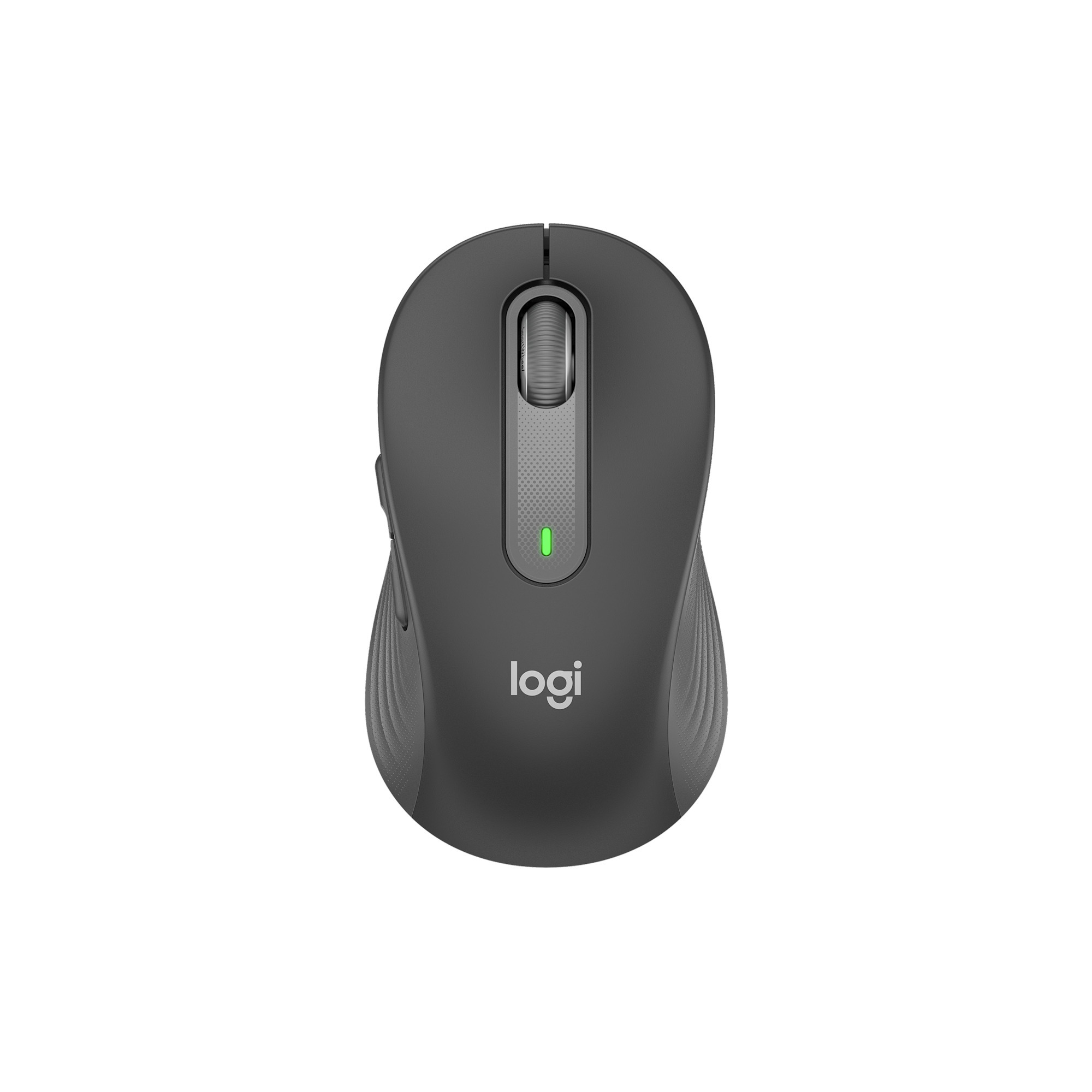
Logitech Signature M650 Wireless Mouse (Graphite, Small to Medium Hands)
A right-handed wireless mouse sized for small-to-medium hands, with SilentTouch main buttons, a SmartWheel and two programmable thumb buttons. It links through Bluetooth Low Energy or the bundled Logi Bolt USB receiver and works across Windows, macOS, Linux, ChromeOS, iPadOS and Android.
- 🤫 SilentTouch clicks: over 90% less click noise than the Logitech M185, per Logitech
- 🛞 SmartWheel switches between line-by-line and fast scrolling
- 🔘 5 buttons, including 2 customizable side buttons
- 📡 Bluetooth Low Energy or Logi Bolt USB receiver, range up to 10 m (33 ft)
- 🔋 1x AA battery (included), rated for up to 24 months
- 📏 107 x 62 x 38 mm, about 101 g
- 💻 Windows, macOS, Linux, ChromeOS, iPadOS and Android
- ♻️ Made with recycled plastic
Why we picked it
- Sales trackers show the Signature M650 family on Amazon with more than 14,000 ratings averaging about 4.5 stars.
- Quiet clicks earn praise almost everywhere: The Register, Notebookcheck, The Citizen and SlashGear all call out how hushed the main buttons are.
- It comes in two sizes plus a left-handed model, so more people can find a shape that fits.
- Bluetooth and a USB receiver in one mouse means it works with a work laptop, a home PC or a tablet.
Good to know
- The silence applies to the left and right buttons. The Register and Slickdeals commenters both found the thumb buttons and wheel click noticeably louder, and the mouse talks to one device at a time rather than switching between several.
Why people love it
Clicks that don't announce themselves
Logitech claims SilentTouch cuts click noise by more than 90% against its basic M185, and reviewers back up the spirit of that number. SlashGear thought you could click through a video call without bothering anyone, and The Citizen's reviewer dubbed it a mouse that whispers. If you work in a shared bedroom, a library or an open office, that alone is worth the upgrade.
A scroll wheel that reads your mind
Roll the SmartWheel slowly and it moves line by line, which is perfect for editing a document. Give it a quick flick and it spins freely through long pages, then settles back into precise steps. The Citizen, SlashGear and Notebookcheck all highlight this two-speed trick, and RTINGS notes that the flick unlocks free scrolling on demand.
Comfortable, grippy and light
The body is contoured, the thumb area is soft, and rubber panels run along the sides. The Citizen liked the shape and grips, Tom's Guide pointed to the dotted grip panels, and both Tom's Guide and RTINGS felt it was solidly built. At roughly 100 grams it's easy to toss in a laptop bag.
Connects to nearly anything
Use Bluetooth to keep your USB ports free, or plug in the Logi Bolt receiver for a dedicated link. Reviewers at The Register and The Citizen had it running on Windows, macOS and iPads, and The Citizen added Linux and Android tablets to the list. It's an easy pick if your household mixes Macs, PCs and Chromebooks.
Thumb buttons that work for you
With the free Logi Options+ app, the two side buttons become shortcut keys you can set up your way. Tom's Guide set up shortcuts such as screenshots and Mission Control, The Citizen mapped them to copy and paste for spreadsheet work, and Notebookcheck noted the settings can change per app.
How to get the most out of it
- Find the receiver before you hunt for it. Tom's Guide and The Register both found the Logi Bolt dongle tucked inside the battery compartment, so check there first.
- Install Logi Options+ on your main computer. Customizing the side buttons needs the app, which runs on Windows and macOS. The Citizen and Tom's Guide both note that on tablets you're limited to Bluetooth and the default button behavior.
- Keep a spare AA in your desk. Logitech rates the battery for up to two years, but The Register and The Citizen both point out it isn't rechargeable, so a spare saves you from a dead mouse mid-task.
- Check your ports. The Bolt receiver is USB-A. Notebookcheck flags this, so on a USB-C-only laptop, either use Bluetooth or add a small adapter.
Which version should you buy?
The standard Signature M650 linked here is meant for small-to-medium hands and is compact enough to travel with. If you have larger hands, the M650 L is a longer, taller body with the same features, and SlashGear's reviewer found the bigger one more comfortable. Lefties get their own M650 L Left. Graphite is the most versatile color, and Off-White and Rose are also offered, with options varying by size. Outfitting a team? The Signature M650 for Business keeps the same quiet clicks and SmartWheel and is aimed at company IT rollouts. Want a premium flagship with more controls? See our Logitech MX Master 3S review.
Good alternatives
Want the full power-user experience? The Logitech MX Master 3S adds a bigger sculpted body, a rechargeable battery and switching between multiple computers. It's a step up in size and price, and our full review explains who it suits. Need a keyboard too? The Logitech MK270 combo bundles a full-size keyboard and a compact mouse on one receiver. Read our Logitech MK270 review for the details.
FAQ
Is the Logitech Signature M650 really silent?
The left and right buttons are very quiet. Logitech claims over 90% less click noise than its M185. The side buttons and wheel click are quieter than many mice but still audible, according to reviewers and buyers.
What's the difference between the M650 and the M650 L?
Size. The M650 suits small-to-medium hands, while the M650 L is a larger body for bigger hands. Features are the same, and a left-handed M650 L Left is also available.
Does the Signature M650 work with a Mac or iPad?
Yes. It works with macOS through Bluetooth or the Logi Bolt receiver, and with iPadOS over Bluetooth. Button customization through Logi Options+ is available on Mac and Windows.
Is the Signature M650 rechargeable?
No. It uses one AA battery, which is included, and Logitech rates it for up to 24 months. Actual life depends on how much you use it.
The bottom line
The Logitech Signature M650 nails the basics most people care about: quiet main clicks, a clever scroll wheel, a comfortable grippy shape and a connection for nearly every device. It skips multi-computer switching and recharging, but in exchange you get a light, low-fuss mouse that runs for many months on one battery. For a calmer, more productive desk, it's an easy pick.
Get the Logitech Signature M650 on Amazon →Sources we checked
- Logitech – Signature M650 product page (Graphite)
- Logitech – Signature M650 for Business
- Logitech – Signature M650 specifications
- Tom's Guide – Logitech Signature M650 review
- Notebookcheck – Logitech Signature M650 review
- The Register – Logitech Signature M650 review
- The Citizen – Logitech Signature M650 review
- SlashGear – Logitech Signature M650 first impressions
- RTINGS – Logitech M510 vs Signature M650
- Slickdeals – Signature M650 deal thread and user comments
- ASINsight – Best-selling Bluetooth mice (ratings and sales estimate)
As an Amazon Associate I earn from qualifying purchases.