You probably touch your mouse more than any other object in your workday, so it's worth having a great one. The Logitech MX Master 3S is the mouse that productivity nerds, designers and spreadsheet warriors keep recommending to each other: a sculpted, hand-filling shape, a scroll wheel that flies through a thousand lines in a flick, and near-silent clicks that won't bother anyone on your next call.
Quick verdict: The MX Master 3S is the upgrade that makes long workdays feel smoother and faster. It's ideal for anyone who spends hours in documents, spreadsheets, code or creative apps, especially people who switch between a laptop and a desktop.
Check today's price on Amazon →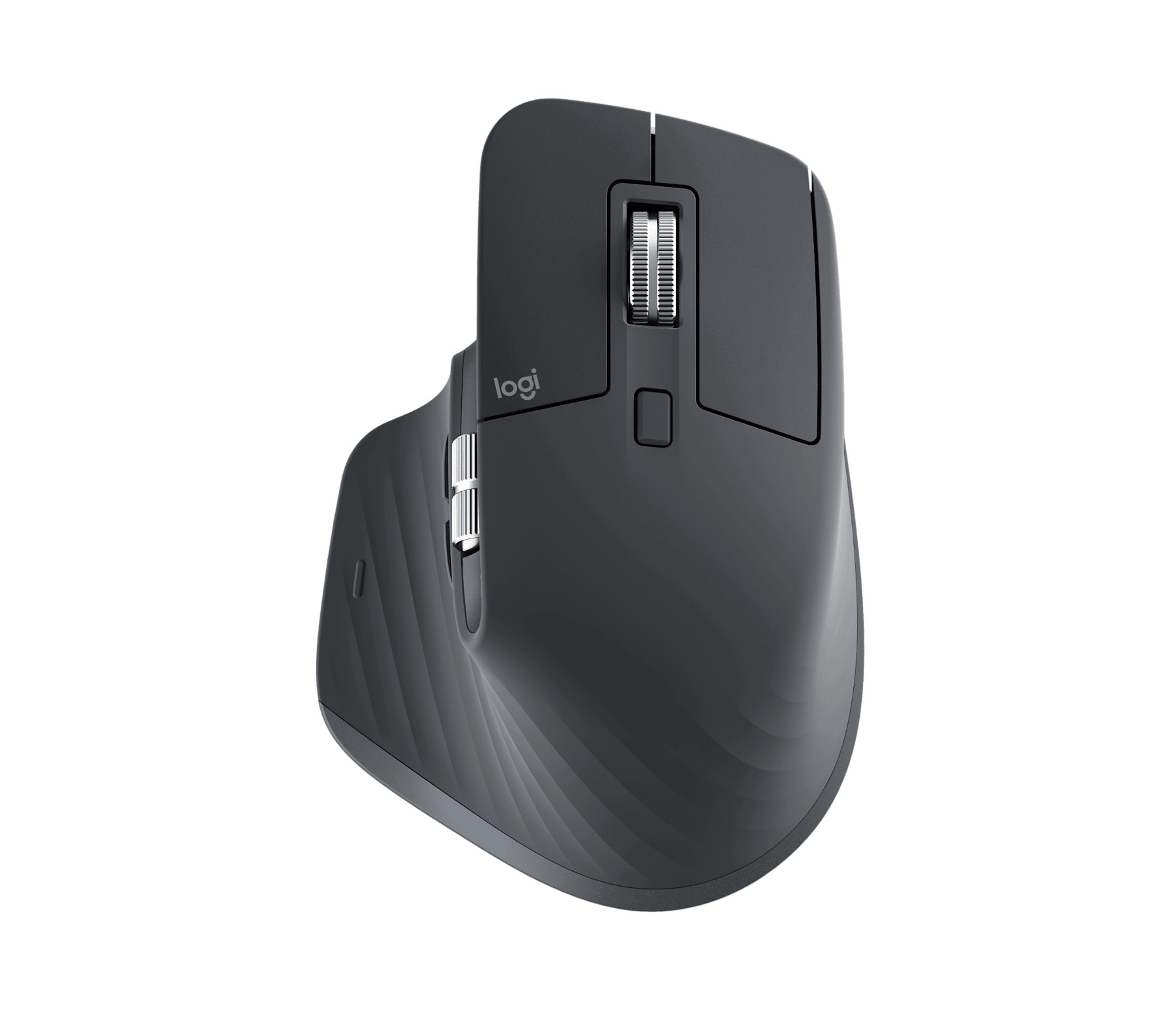
Logitech MX Master 3S Wireless Performance Mouse (Graphite)
Logitech's flagship productivity mouse combines an ergonomic right-hand shape with an 8,000 DPI sensor, quiet clicks and two scroll wheels. It pairs with up to three devices and recharges over USB-C.
- 🎯 8,000 DPI Darkfield sensor that tracks even on glass (4 mm+ thick)
- 🤫 Quiet Clicks: Logitech says 90% less click noise than MX Master 3
- 🌀 MagSpeed electromagnetic wheel, up to 1,000 lines per second, plus thumb wheel
- 🔋 Up to 70 days per full charge; 1-minute quick charge gives about 3 hours (per Logitech)
- 💻 Easy-Switch between 3 devices via Bluetooth or Logi Bolt receiver
Why we picked it
- A perennial best seller among computer mice and a favorite of reviewers at Tom's Hardware, Tom's Guide and TechRadar.
- The scroll wheels genuinely change how fast you move through long pages and wide spreadsheets.
- Quiet clicks make it a great match for shared offices, late nights and video calls.
- One mouse controls your work laptop, home PC and tablet with a tap of a button.
Good to know
- It's a full-size, right-handed mouse that shines for medium and large hands; if you have smaller hands or want something to toss in a laptop bag, the compact MX Anywhere 3S (below) is the better fit.
Why people love it
A shape your hand settles into
The sculpted body supports your palm and gives your thumb its own resting shelf, and reviewers at Tom's Hardware and TechRadar, along with many Best Buy owners, single out comfort through long sessions as the biggest win. It feels solid and premium on the desk, the kind of tool you notice only because nothing about it gets in the way.
Scrolling that feels like a superpower
The MagSpeed wheel switches between precise, line-by-line clicks and a free spin that zips through long documents in a second. Add the side thumb wheel for horizontal scrolling and wide spreadsheets or video timelines suddenly become easy to navigate. Tom's Hardware, Tom's Guide and Reddit users all rave about this combo, and many say they can't go back to a basic wheel afterward.
Clicks you can barely hear
Logitech made the 3S's buttons dramatically quieter than the previous generation while keeping a satisfying feel. TechRadar, Tom's Guide and Tom's Hardware all highlighted it, and it's a small detail that roommates, partners and coworkers will thank you for.
Buttons that work your way
With the free Logi Options+ app, you can remap the thumb buttons, the gesture button and the thumb wheel, and even set different actions for different apps. Reviewers loved assigning undo and redo, switching desktops, or turning the thumb wheel into zoom for photo and design work.
One mouse, three computers, weeks of battery
The Easy-Switch button lets you hop between up to three paired devices, which reviewers found handy for anyone juggling a work laptop and a personal computer. Battery life is rated at up to 70 days, it charges over USB-C, and you can keep using it while it's plugged in, so a low battery never stops your work.
How to get the most out of it
- Install Logi Options+ right away. It unlocks per-app button profiles, gesture controls and Flow, which lets your cursor glide between two computers.
- Try the thumb wheel as zoom or tab switcher. In creative apps and browsers, this tweak alone can save a surprising amount of time.
- Use the receiver for the most stable connection. If your computer lacks Bluetooth or the connection feels sluggish, a Logi Bolt receiver usually fixes it. Note that Bolt doesn't pair with older Unifying receivers.
- Find the Easy-Switch button underneath. Pair each computer to its own channel once, then switch with a single press.
- Top up during a coffee break. A one-minute quick charge gives roughly three hours of use, according to Logitech.
Which version should you buy?
The standard MX Master 3S (linked here) is the best all-rounder for Windows, Mac, Linux and ChromeOS, and the edition most retailers stock. Logitech also sells a Bluetooth Edition without a USB receiver, so check the listing if you want the Logi Bolt dongle in the box. The MX Master 3S for Mac is Bluetooth-only in Mac-matching colors; Tom's Guide notes the standard model works on Macs too, so choose that one mainly for the look. Prefer something smaller and lighter? The MX Anywhere 3S keeps the quiet clicks and 8K sensor in a travel-friendly body.
Good alternatives
Logitech MX Anywhere 3S — A compact, lighter sibling with the same 8,000 DPI sensor, quiet clicks and multi-device switching. It skips the thumb wheel, but it slips into any bag and suits smaller hands and frequent travelers. See the MX Anywhere 3S on Amazon.
FAQ
Does the MX Master 3S work with Mac and iPad?
Yes. Logitech lists support for macOS and iPadOS, and TechRadar used it with an iPad. Options+ customization is available on Mac and Windows.
Can it track on a glass desk?
Yes. Logitech says the Darkfield sensor works on glass at least 4 mm thick, and Tom's Hardware found it tracked accurately on glass.
Is it good for left-handed users?
No, the shape is designed for the right hand. Left-handed users will be happier with a mouse built for lefties or an ambidextrous design.
Does it come with a USB receiver?
The standard edition has traditionally included a Logi Bolt USB receiver, while the Mac and Bluetooth editions don't. Check the "in the box" details on the listing before you order.
Upgrading your mouse is one of the cheapest ways to make every single workday feel better. The MX Master 3S is comfortable, quiet, fast and endlessly customizable, which is exactly why it keeps topping best-of lists year after year.
Get the Logitech MX Master 3S on Amazon →
Sources we checked
- Logitech: MX Master 3S
- Logitech: MX Master 3S Bluetooth Edition
- Tom's Hardware: Logitech MX Master 3S review
- Tom's Guide: Logitech MX Master 3S review
- TechRadar: Logitech MX Master 3S review
- Tom's Hardware: Logitech MX Anywhere 3S review
- RTINGS: MX Anywhere 3S vs MX Master 3S
- Reddit r/logitech: Is the MX Master 3S troublesome?
- Best Buy: MX Master 3S customer reviews