Your laptop's built-in camera is probably the weakest link in every meeting you join. The Logitech C920x swaps that grainy, washed-out picture for crisp Full HD video with sharp autofocus, and it clips onto your screen and works the moment you plug it in. Years after launch, it's still one of the top-selling webcams on Amazon, and reviewers keep calling it the default pick for most people.
Quick verdict: The C920x is the easy upgrade for anyone who looks blurry or dim on Zoom, Teams or Google Meet. It's ideal for remote workers, students, online tutors and first-time streamers who want a big jump in picture quality without fiddling with settings.
Check today's price on Amazon →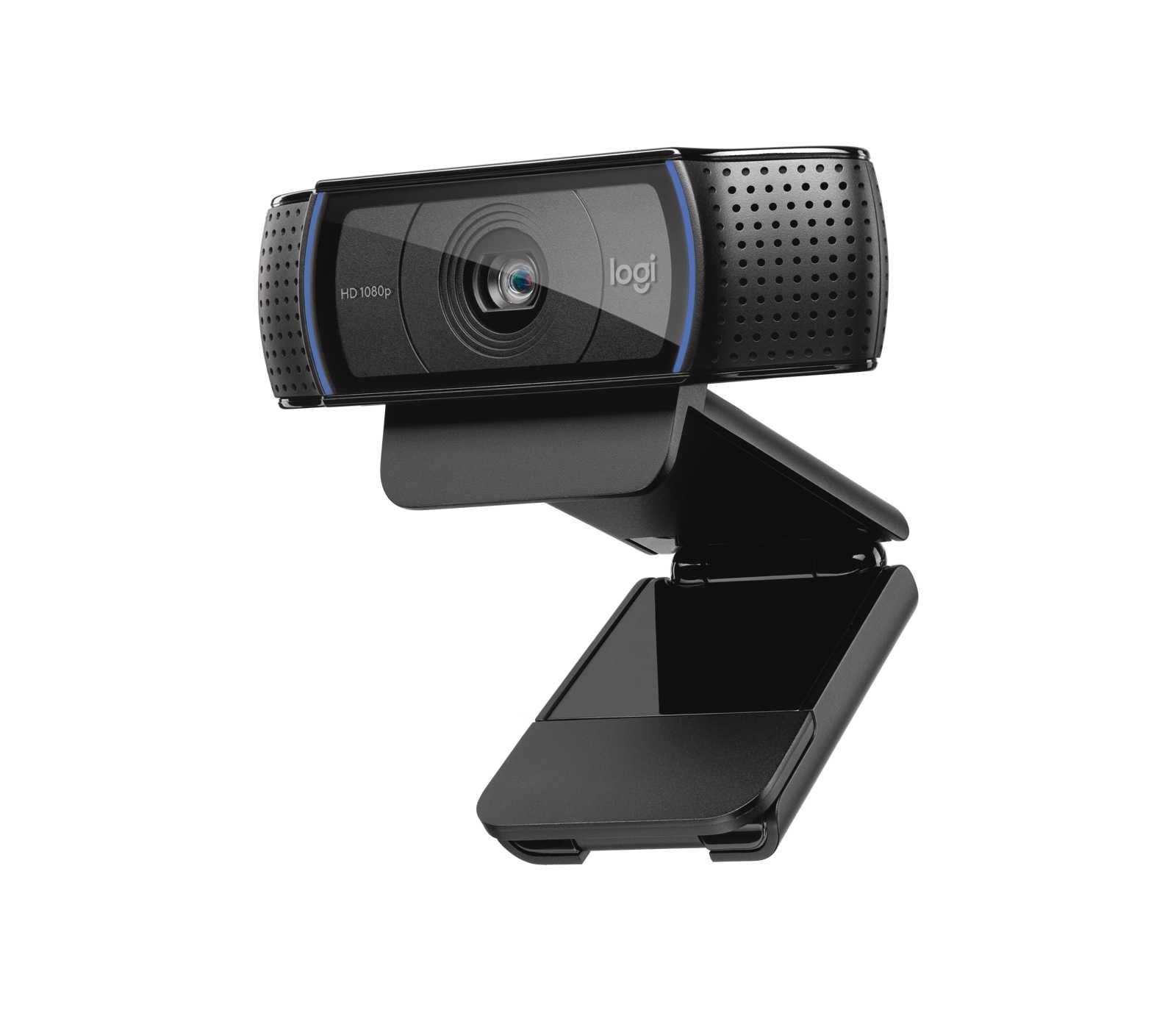
Logitech C920x HD Pro Webcam, Full HD 1080p/30fps (Black)
A plug-and-play USB webcam with a glass lens, autofocus, automatic light correction and two built-in microphones. A flexible clip holds it on a monitor or laptop, and a tripod thread lets you mount it anywhere.
- 🎥 1080p or 720p video at 30 fps
- 🔍 Autofocus with a 78° diagonal field of view
- 💡 RightLight 2 automatic light correction
- 🎙️ Dual microphones, one on each side of the lens
- 🔌 USB-A plug-and-play; clip mount with tripod thread
Why we picked it
- It's a long-running bestseller in Amazon's Webcams category, with tens of thousands of ratings averaging about 4.6 stars and an estimated 10,000 sales a month, according to listing trackers.
- Tom's Guide, TechRadar and PC Gamer all single it out for sharp, colorful 1080p video that leaves typical laptop cameras far behind.
- Reviewers agree the autofocus is quick and dependable, keeping you sharp as you lean in or move around your desk.
- No drivers or setup: it works with Windows and macOS computers, plus all the major video-calling apps.
Good to know
- The built-in mics are fine for everyday calls, but streamers and podcasters will sound better with a headset or USB microphone.
Why people love it
A night-and-day jump from your laptop camera
This is the main reason the C920x keeps selling. Tom's Guide put it side by side with a gaming laptop's built-in camera and found richer color and noticeably more detail, even in the background. TechRadar saw the same leap over Logitech's older 720p model. On a Monday stand-up or a job interview, that difference shows up instantly: you look clear, present and professional.
Autofocus that just works
Hold a document, sketch or product up to the lens and the C920x snaps it into focus. PC Gamer called the autofocus fast and accurate, and TechRadar liked that it locks on and stays put instead of hunting with every small movement. That's exactly what you want for teaching, show-and-tell calls or streaming.
Good-looking video in everyday lighting
Logitech's RightLight 2 adjusts exposure on its own, so a dim home office or a gray winter afternoon doesn't turn you into a shadow. TechRadar noted very little noise in darker rooms, and PC Gamer found the low-light correction performed well for the money. Add a lamp in front of you and the results get even better.
Clip it, stand it or mount it
The hinged clip grips most monitors and laptop lids, and it also folds out into a little desk stand. Underneath is a standard tripod thread, which reviewers at Tom's Guide, TechRadar and PC Gamer all point out. That makes it easy to film from a side angle, frame out a messy room or set up an overhead shot for crafts and unboxings.
The streamer's classic
The C920 family has been a go-to first webcam for streamers for years. Reddit threads collected by GummySearch describe it as one of the most recommended cameras among Twitch creators, and PC Gamer rated it its best overall webcam at the time of review. Wide software support means it drops straight into OBS, Zoom or Teams.
How to get the most out of it
- Warm up the colors. Reviewers found the default image can lean slightly cool. Open Logitech's free software (Logi Tune or G HUB), switch off auto white balance and nudge it warmer until skin tones look natural.
- Face the light. Put a window or lamp in front of you, not behind you. RightLight helps, but a soft front light makes the biggest difference.
- Set it at eye level. Clip it to the top center of your monitor, or use the tripod thread with a small stand, so you're looking at people instead of down at them.
- Pair it with a better mic for streaming. The dual mics are handy for calls, but a headset or USB mic will make your voice sound fuller on recordings.
- Choose 1080p in your app. Some apps default to lower resolutions; check the video settings in Zoom, Teams or OBS so you get the full HD picture.
Which version should you buy?
The C920x is the version most widely sold on Amazon and shares the same 1080p/30fps camera, glass lens and dual mics as the classic C920. The C920s is the same camera with a built-in privacy shutter, a nice extra if you want a physical lens cover. If you mainly need a clean picture for meetings on a tighter budget, the Logitech Brio 101 is a simpler 1080p option with an integrated shutter.
Good alternatives
Want the budget pick? The Logitech Brio 101 is a compact Full HD webcam with a built-in mic and privacy shutter, and it currently ranks at the top of Amazon's Webcams category. Finishing your desk setup? Pair your new camera with the Logitech Pebble Keys 2 K380s (Pick #27) or the Logitech MX Master 3S (Pick #18) for a clean, wireless workspace.
FAQ
Does the Logitech C920x need drivers?
No. It's plug-and-play over USB and works with Windows and macOS. Logitech's free software is optional and adds image controls.
What resolution does the C920x record?
It captures 1080p or 720p video at 30 frames per second, which matches what most video-calling apps support.
Can I mount the C920x on a tripod?
Yes. Besides the monitor clip, it has a standard tripod thread on the base for desk stands, arms and tripods.
Is the built-in microphone good enough?
For everyday calls, yes. For streaming, podcasting or recording, reviewers recommend a headset or dedicated USB microphone.
The bottom line
The Logitech C920x does one job brilliantly: it makes you look clear and sharp on camera, with almost zero setup. For work calls, online classes, family video chats and first streams, it's the proven, crowd-favorite upgrade that turns a so-so laptop camera into a thing of the past.
Get the Logitech C920x on Amazon →Sources we checked
- Logitech – C920 HD Pro Webcam product page and C920s product page
- Tom's Guide – Logitech C920 webcam review
- TechRadar – Logitech C920 review
- PC Gamer – Logitech C920 webcam review
- GummySearch – Webcam picks from Reddit
- Slickdeals – Logitech C920x deal thread
As an Amazon Associate I earn from qualifying purchases.